Blog Create
How to create an AI version of yourself from a photo
One photo is enough to create an AI creator who looks like you and makes videos for you. The step-by-step, the ideal photo and the rules to follow.
Published · 7 min read · By the Glimmry team
In short
To create an AI version of yourself, one sharp photo with only you in it is enough: in Glimmry, you choose “A person”, then “Import my photo”, and the app suggests 4 portraits in about a minute. That AI creator who looks like you can then make 15-second vertical videos for you.
This guide covers the step-by-step, the photo that gives the best result and the rules that keep it all fair. The examples come from Glimmry, the brand campaign app.
What is an AI version of yourself?
It is an AI creator whose face is based on yours. It keeps your features but lives in generated footage: it can stand in a kitchen, search a cupboard or smile at the camera holding a product, without you filming a thing. It is a specific kind of AI UGC creator: same process, same transparency, with your own face as the starting point.
Good to know: the photo is used for the face. The voice is a fixed voice assigned to the creator, the same in all of its videos, and the generated videos are in English.
Why create an AI version of yourself?
- Post without a shoot: no lighting to set up, no retakes, no room to tidy.
- Stay recognisable: your audience sees your face from one video to the next.
- Test ideas: a new angle or a new hook takes a few minutes of writing.
- Join campaigns: some accept person creators only, like the one for Vaxnext, the family vaccination records app.
You stay in control the whole way. You read and edit every script before anything is generated, the price is shown before each render, and the app never posts for you: nothing featuring your likeness goes online unless you choose to publish it yourself. If you ever change your mind, “Delete my data” in your Profile erases everything.
How do you create it, step by step?
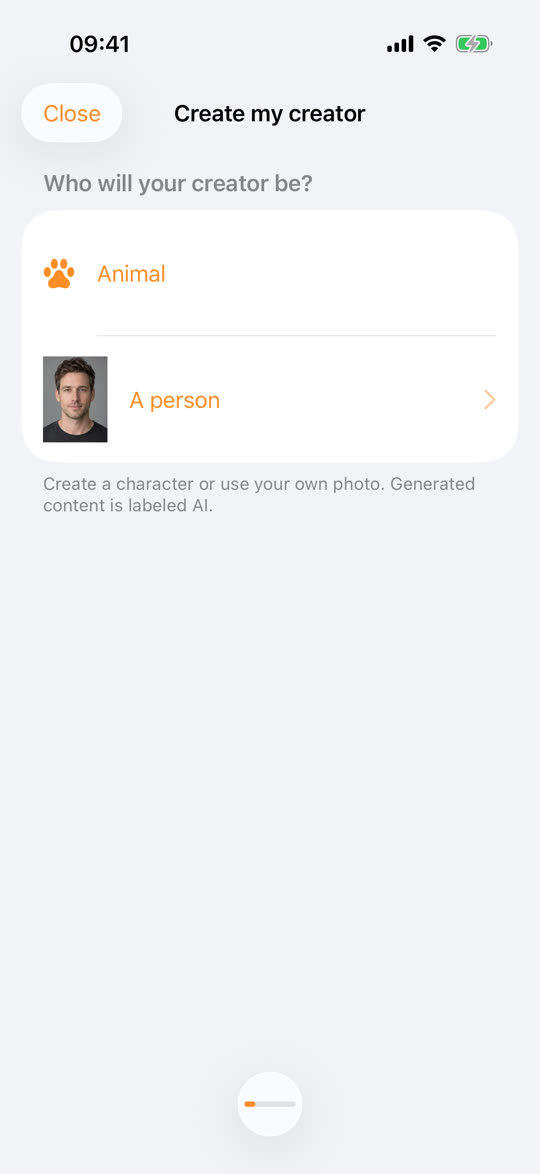
- In the app, tap “Create a creator”. When asked “Who will your creator be?”, choose “A person”.
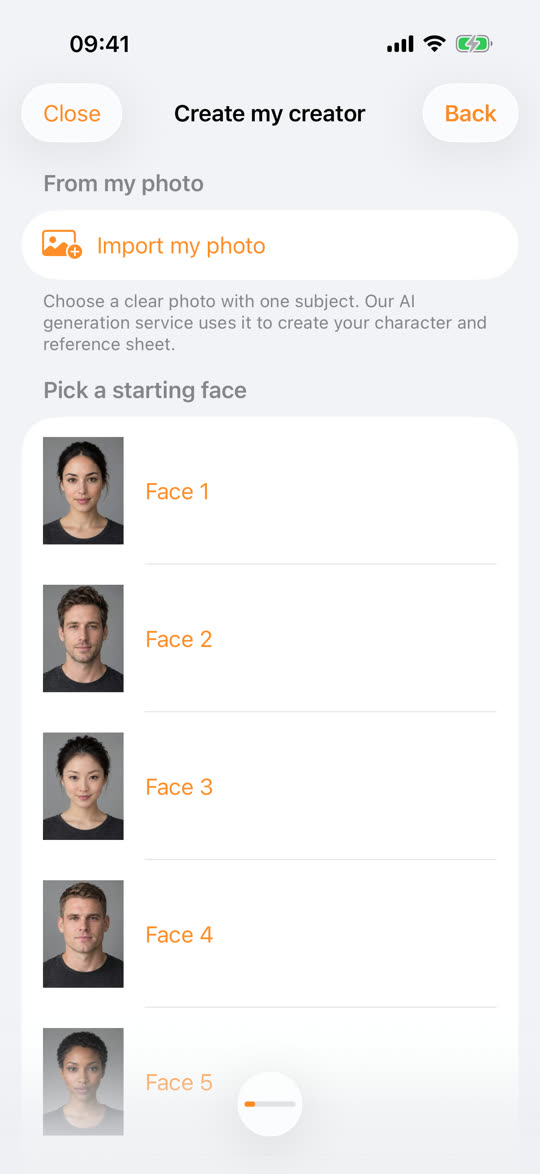
- Under “From my photo”, tap “Import my photo” and pick a sharp photo with only you in it.
- Confirm the three points asked: it is you, you are 18 or older, and you have the rights to use this photo.
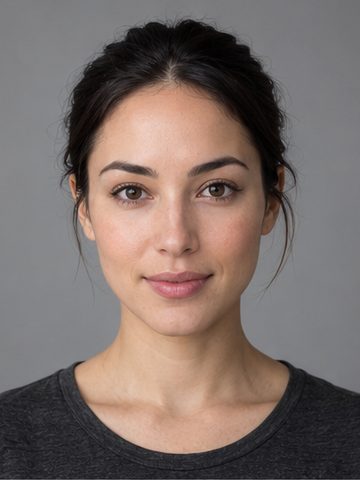
- Wait about a minute: the app suggests 4 portraits, generated in a single pass.
- Tap “Keep this one” on your favorite and give it a name. If none feels right, “Try again” is there.
- Read the short backstory suggested for your character, and edit it as you like.
While you choose, Glimmry prepares a private 16-view reference sheet in the background: full body from the front, three-quarter, side and back, the head from four angles, expressions and poses. That sheet is what keeps the same identity across all your videos.
Which photo should you use?
The ideal photo is sharp, shows your face clearly and has nobody else in it.
For the best result:
- use a recent photo that looks like you today;
- go for soft light and a clearly visible face, looking at the camera or close to it;
- skip sunglasses, filters and heavy retouching, which blur your features;
- crop if needed so no one else appears, even in the background.
Tip: if the result isn’t quite you, switch photos rather than retrying the same one. During the beta, you get 3 portrait requests per day.
The rules to follow
An AI version of you is built on your consent, so the rules are simple:
- your photo, and only yours: a photo of someone else is not allowed;
- 18 or older: a requirement for building a character from your face;
- the rights to the image: you must be allowed to use the photo you import;
- safe topics: safety filters refuse ideas and scripts about sexual content, real or famous people, violence, hate, drugs, weapons, self-harm, and medical or financial promises.
Every portrait carries a “Virtual image” badge, and every exported video shows “AI‑GENERATED IMAGES” at the top of the picture. When you post, add the platform’s AI label too: our guide on labeling AI videos shows where to find it on TikTok, YouTube and Instagram.
What happens to your photo?
- On import
- the photo is re-encoded without its location metadata
- During generation
- files sent to the Kie.ai platform are deleted from its file host after 24 hours
- Storage
- on Cloudflare, with the database and files in the Asia-Pacific region
- Account
- no password: an anonymous account tied to your device, secured with Apple App Attest
- Erasing
- Profile, then “Delete my data”, erases everything on our servers and on the device
Glimmry shows no ads and uses no trackers or analytics. The full details are in the privacy policy.
Your first videos
Your creator now has its own page. Tap “Create content”, pick an angle (Fun, UGC, App promo, Product, Storytelling or Custom) and a hook from the library of 100. The app writes a script of 3 scenes of 5 seconds, which you read before tapping “Create video”. To write scripts that hold attention, read Writing a 15-second video.
You can close the app while it renders: the 15-second video shows up under “My videos”, ready to save to Photos or share as an MP4. The app never posts for you. Glimmry is in private beta on TestFlight for iPhone and iPad (iOS 17 or later), creation is free within the beta’s daily limits.
Frequently asked questions
Do I need several photos to create an AI version of myself?
No, one photo is enough on Glimmry. Pick a sharp photo with only you in it: the app turns it into 4 portraits in about a minute, then a private 16-view reference sheet that keeps your identity in every video.
Can I create an AI version of someone else?
No, Glimmry only accepts your own photo. Before importing, you confirm it is you, that you are 18 or older and that you own the rights to the photo; to create anyone else, build a fictional person trait by trait instead.
Are videos of my AI version labeled as AI‑generated?
Yes, every exported video has “AI‑GENERATED IMAGES” burned into the top of the picture. Your portrait also carries a “Virtual image” badge inside the app.
Find your next brand campaign
Choose a brief and a rate, prepare your video with the built-in studio, get it approved and earn from verified views.
Coming soon to the App Store